
The Future of Business Security: Embracing Commercial Access Control Systems
Most Brisbane and Gold Coast businesses have always done access the same way: a key for the front door, another key for the back, a code on the alarm panel, and a logbook somewhere if anyone insisted. That worked when the team was small, the building was one site, and nobody had ever lost a key. It does less of the work it should as soon as any of those change. By the end of this post you will know what a commercial access control system actually is in 2026, why most businesses end up moving past lock-and-key, and how to decide where to start.
What commercial access control actually is
A commercial access control system is electronic. It regulates who can enter which doors, when, and on what credential, and it logs every entry against a person record. The four pieces are the same on every platform: a reader at the door, a credential the reader recognises, a controller that decides whether to unlock, and a database of who is allowed where and when.
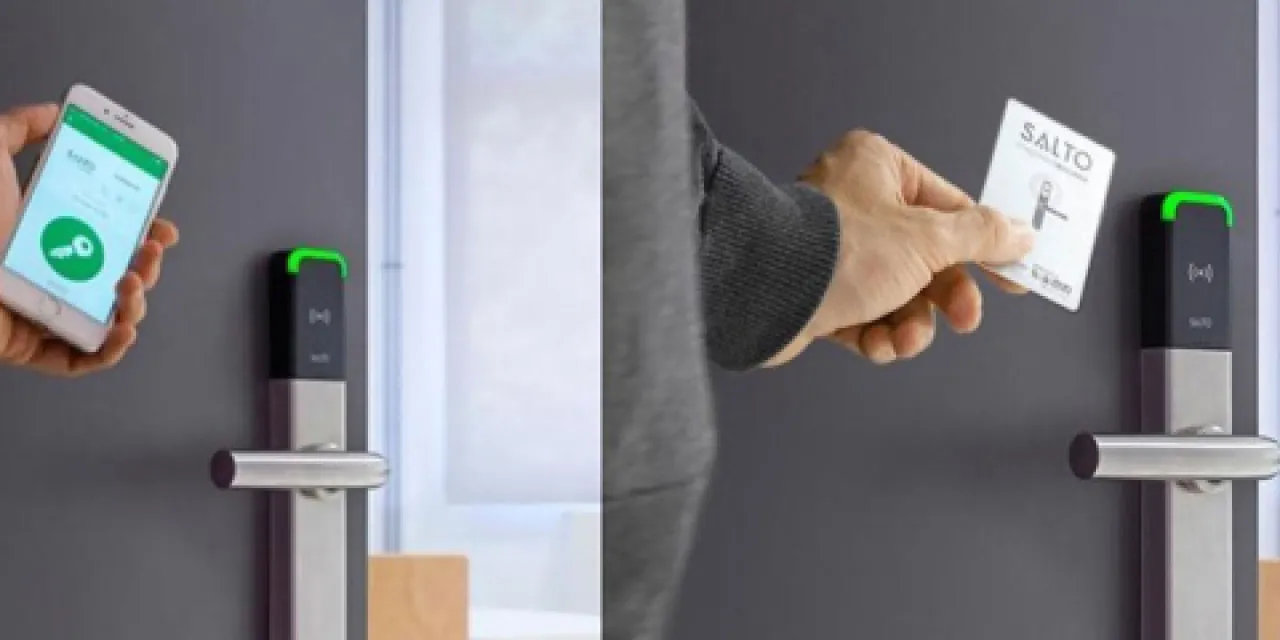
What has changed in the last few years is less the reader and more everything around it. Cloud management lets the same credential and the same access rules work across every site you run from one dashboard. Mobile credentials mean the phone in someone’s pocket can be the access card. Integration means a door event, a camera clip, an alarm trigger, and an intercom buzz can land in one record rather than four separate systems. The shape of the system is still doors, credentials, and a database. The shape of the management around it has changed.
Why most businesses move past lock-and-key
Traditional lock-and-key is cheap to install and easy to understand, which is why most businesses started there. It also has known problems that grow as the business grows. Keys get lost, copied without permission, and left in drawers when people leave. Codes on alarm panels drift out of date and end up shared. There is no record of who entered when, so a question about an after-hours event has no answer. Re-keying after a major staff departure is a real cost, and it usually does not happen until something has already gone wrong.
Access control answers these one at a time. A lost credential is revoked from a dashboard, not from every lock. An offboarding takes one entry, not a full re-key. Every entry is recorded against the person, not against the lock. The decision to move past lock-and-key is rarely an event; it is usually a slow accumulation of those small frictions until the case is obvious.
Credential types: RFID, biometric, mobile, and cloud
The visible part of any access control system is the credential. There are four common types, and most modern businesses end up running a mix.
RFID and smart cards. A card or fob the reader recognises by radio. Older proximity cards present a card ID with little protection; newer smart cards (and modern fobs) add encryption and anti-cloning. Cards are inexpensive per door, familiar, and they keep working when the internet drops. Trade-off: cards get lost, shared, and left in drawers when people leave, so the audit trail is only as good as the offboarding process.
Biometric. A fingerprint, face, or iris matched against an enrolled template. Audit trails are clean, there is no ongoing card cost, and credentials cannot be handed to someone else the way a card can. Trade-offs: enrolment time, environmental sensitivity to dust and lighting, and privacy obligations. Biometric information used for automated verification is sensitive information under the Australian Privacy Act where the Act applies; consent, storage, retention, and deletion all need to be pinned down with the provider before installation. Most businesses use biometric on a handful of high-value doors rather than every door.
Mobile credentials. The credential lives in an app on the user’s phone, and the reader picks it up over Bluetooth or NFC. New staff get access from a cloud dashboard as soon as an admin grants it; revocation is near real time across every online door. Trade-offs: phone battery, staff who do not want a work app on a personal device, and visitor handling.
Cloud-based access control. Not strictly a credential type, but the management layer that makes mobile, RFID, and biometric work consistently across multiple doors and sites. One dashboard for every door, one list of people, one set of access rules. For multi-site businesses, this is usually where the real gain sits, not in any single credential choice. Our access control for multi-site businesses post covers the multi-site decision in detail.
What integrated access control adds beyond the door
A modern access control system is most useful when it stops being a separate box on the wall. On platforms where access control, CCTV, monitored alarms, and intercom systems share a ruleset, a door event arrives with the nearest camera clip attached, an alarm trigger is tied to the access log of who tapped through in the last hour, and a visitor at the intercom is logged against the door they walk through.
The practical difference is that one offboarding can update the credential, the alarm code, the intercom directory, and the camera-event person record at the same time. For a business running on lock-and-key plus a separate alarm panel plus a separate intercom, that integration is usually where the day-to-day admin load disappears, not in the door reader itself.
Want a second opinion on whether access control is the right next step? Talk to a Metwide engineer.
Lock-and-key vs commercial access control: side-by-side
| Capability | Lock-and-key + alarm panel | Commercial access control |
|---|---|---|
| Add or revoke a person | Issue a key, change a code | One change in a dashboard, all doors |
| Lost credential | Re-key the lock | Revoke the credential, issue a replacement |
| Audit trail | None, or a paper logbook | Every entry recorded against a person |
| Multi-site management | Per site, manual | One dashboard across the network |
| Integration with cameras and alarms | None | Door event tied to camera clip and alarm log |
| After-hours visibility | A phone call with a code | Notification with context |
| Compliance reporting | Manual reconstruction | Exportable from one record |
One-line verdict. A simple single-site business with a stable team and a healthy alarm contract can stay on lock-and-key. Most businesses with more than one entry, any staff turnover, or an obligation to evidence who was where when, end up with the case for access control already half made.
Why act on access control now
The case to upgrade rarely comes from a single dramatic event. It usually comes from the quiet accumulation: another lost key, another after-hours alarm with no context, another offboarding that left a code behind, another insurance question that the current setup cannot answer. Three things have made the upgrade easier than it was a few years ago.
Credentials are cheaper and more flexible. Mobile credentials in particular have removed the per-card cost for the people who carry one, and cloud management has removed most of the per-site setup cost.
Integration is no longer a custom job. Common platforms now ship with the camera, alarm, and intercom integration as a configuration rather than a custom build, which used to be the part of the project that absorbed budget.
Compliance and insurance pressure is real. More insurers, landlords, and franchisors now ask for documented access logs as part of the policy or lease. The system that can produce them on request is usually less expensive than the one that has to reconstruct them after the fact.
Access control for Brisbane and Gold Coast businesses
A small professional services firm in Fortitude Valley. Six staff, one office, a back door to a shared corridor, and a server room that needs a separate access tier. RFID for staff, biometric on the server room, mobile credentials for the partners who travel between offices. One cloud dashboard, one offboarding, an audit trail ready when the insurer asks.
A franchise retailer with seven stores from Brisbane northside to the Gold Coast. Mobile credentials for area managers across all sites, cards for store-level team members. Wireless readers on stockroom doors to avoid touching landlord fit-outs. Per-store admin delegated to store managers, head office keeps the master view. One offboarding closes a credential at every store and the alarm code in one workflow.
How to decide where to start
Five questions will get most businesses most of the way there.
- What is the cost of a lost key today? If re-keying after a staff departure is a job nobody does, the case for access control is already half made.
- Where do you actually need a tier of access above “in or out”? Server rooms, cash-handling areas, stock areas with theft history, and shared common areas are usually where credential-tier decisions matter most.
- What does your offboarding look like? If it involves “getting the key back” and “we will change the alarm code”, an integrated platform usually pays back inside the first few departures.
- Do alarm, camera, and entry events live in one place? If a question about an after-hours event needs three systems to answer, integration is doing more for you than any single new reader would.
- What do your insurer, lease, or franchisor actually require? Confirm any obligations around documented access logs or specific signalling pathways before you commit to hardware.
The shape of the decision usually falls out from there:
- Start small if the case is one or two doors that matter (the server room, the back-of-house) and the rest of the site is fine on keys for now.
- Start integrated if alarm, camera, or intercom are also being looked at; doing them on one platform now is usually less work than retrofitting integration later.
- Start at the management layer if you have multiple sites; the dashboard decision matters more than any single reader choice.
You do not have to do everything at once. Most businesses change door by door, leading with the entries where the current setup is hurting most.
What drives cost and scope
Three questions usually shape the project.
- Can we reuse existing door hardware? Many sites already have door strikes, request-to-exit sensors, and even cabling that a new system can use. Not all of it, but enough to reduce cabling scope.
- What constraints does the building or tenancy add? Heritage finishes, leased fit-outs you cannot drill, fire-rated doors, and gate types all push specific solutions. Where after-hours response matters, the back-to-base monitoring pathway is part of the same conversation.
- One site or a portfolio rollout? A single site is usually one stage. A portfolio is staged so the highest-priority sites go first, with the platform configured once so later sites roll in against the same records.
What a Metwide access control review looks like
An engineer from our field team (NSW and QLD security and cabling licences) walks the site, counts doors, checks existing door hardware, alarm panels, intercoms, and CCTV, and notes which existing hardware can stay. You get back a written plan covering which doors get which credential type, what new hardware is needed and what can be reused, costs broken down per door, the management layer that ties it together, and a recommended rollout order so the highest-impact doors come first. From there you decide what to do next, on your timeline.