
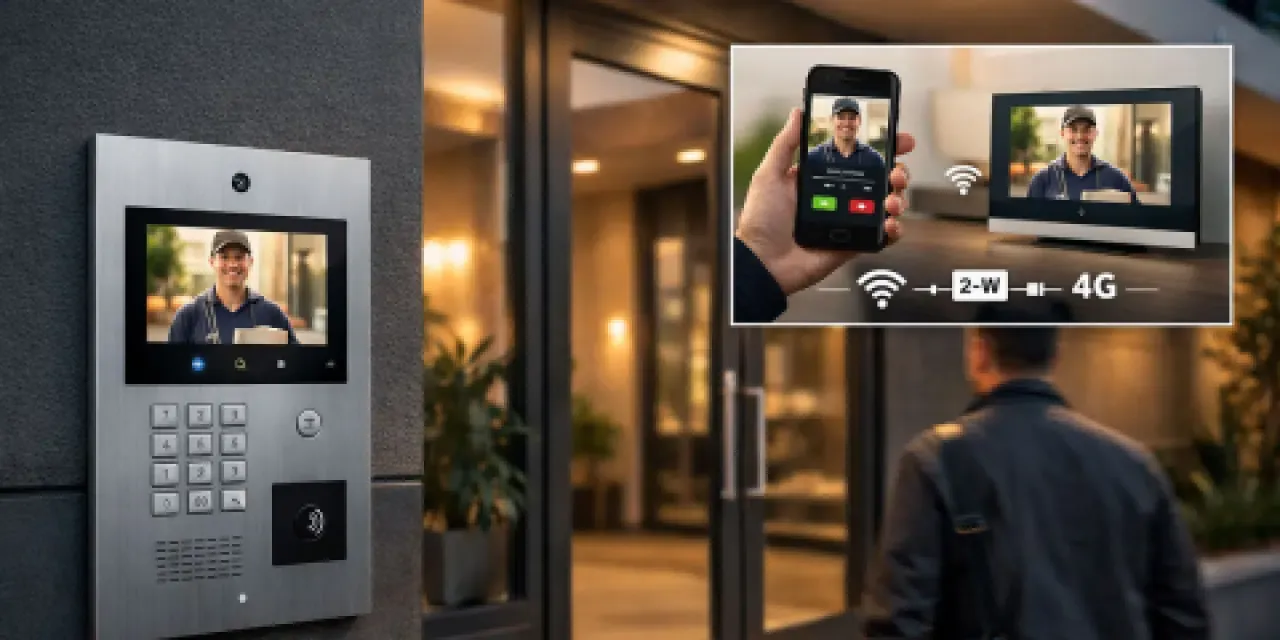
Modern Intercom Systems for Business & Strata: IP vs 2-Wire vs 4G (How to Choose)
Intercoms have moved on from the buzzer at the front door. A modern intercom is a visitor-management tool: it helps reception, building managers, and tenants verify who is at the entry, log the event, and decide whether to let them in, from a wall panel or a phone. For Brisbane and Gold Coast businesses, strata buildings, and multi-tenant sites, the question is rarely “do we need an intercom” and almost always “which kind, and how does it sit with the rest of the security stack”. By the end of this post you will know what IP, 2-wire retrofit, and 4G intercoms actually do, when each one fits, and how to decide whether to keep, upgrade, or replace what you have. Already know what you need? See our intercom solutions page.
What a modern intercom system actually does
A modern intercom is five things in one place: see, speak, verify, log, and unlock. A visitor presses the button at the entry, the responsible person sees the video and talks through the wall panel or app, and the door releases. The event lands in a record tied to the building, the door, and the time.
What has changed is less the door station and more what sits behind it. IP video intercoms run over the building network with PoE, so one cable carries power and signalling. For older buildings where pulling new cable would mean lifting ceilings and risers, 2-wire retrofit kits can often reuse the existing cabling and still add video and mobile answering, subject to a check on cable condition, distances, power, and door hardware. Where no cable runs at all, 4G and wireless door stations may suit gates, pedestrian car-park entries, and plant rooms, where mobile signal, power, and door-release design all check out.
IP video intercom (PoE)
Best for: new builds, network-ready sites, multi-entry buildings, and rollouts that may grow over time.
IP intercoms run over the building network using Power over Ethernet, which means one cable to each door station handles both power and signalling. Video quality is sharper than older systems, and adding doors, stations, monitors, or users is a configuration change rather than a re-cabling job.
The trade-offs are about the network behind it, not the intercom itself. Switch capacity, PoE budget across all the devices on it, and where calls should land (reception, tenant mobiles, security, after-hours) all need to be planned alongside the door station selection. For multi-tenant sites, the directory and admin tools matter as much as the camera resolution.
2-wire retrofit intercom
Best for: replacing older systems in occupied buildings without re-cabling.
If you have an ageing intercom and want video and mobile answering without lifting ceilings or pulling new risers, 2-wire retrofit kits can often reuse the existing cabling and wall locations. The result is a faster upgrade path that still lands modern features.
What needs checking before scoping a retrofit: cable condition (older runs may have corrosion or cuts), distances against the kit’s published limits, power requirements at the door station and the response point, and door hardware compatibility with the new strike or maglock if the existing one is being replaced. If any of those is marginal, the cost gap to a partial re-cable narrows quickly.
4G and wireless door stations
Best for: gates, secondary or remote entries, and sites where cabling is not permitted or not practical.
For a front gate twenty metres from the building, a roller door at a depot, or a secondary entry where trenching the path would mean lifting pavers, a 4G intercom or wireless door station avoids the cabling problem entirely. The station runs on its own power source, signals over the mobile network, and triggers the door release locally.
Mobile signal at the door station location is the first thing to check, before anything else. After that: how the door release is wired (fail-safe vs fail-secure depending on egress design), expected call volume, and who answers after hours. 4G stations usually carry a SIM and a monthly data line; that ongoing cost is small but real, and it should be on the scope sheet from day one.
Side-by-side: IP vs 2-wire vs 4G
| Capability | IP (PoE) | 2-wire retrofit | 4G / wireless |
|---|---|---|---|
| Best fit | New builds, network-ready, multi-entry | Replacing older systems in place | Gates, remote entries, no-cable sites |
| Cable required | Network cable to each door | Existing 2-wire reused | None (mobile signal required) |
| Video quality | High, expandable | Improved over older audio-only systems | Good, varies by station |
| Scalability | Strong | Constrained by existing topology | Per-station, not portfolio-wide |
| Mobile answering | Yes | Yes (kit-dependent) | Yes |
| Integration with access, CCTV, alarms | Strong on platforms designed for it | Available on some kits | Per-station, usually limited |
| Ongoing cost | Network + platform | Platform | Platform + 4G data |
| Install disruption | Higher (new cable) | Low (reuses cable) | Low (no shared works) |
One-line verdict. IP for sites where the network is healthy and the building can carry new cable. 2-wire retrofit for occupied buildings where re-cabling is the blocker. 4G for entries where no cable will ever run. Most multi-building portfolios end up mixed.
Integration with access control, CCTV, and alarms
A modern intercom is most useful when it stops being a separate gadget on the wall. When a visitor presses the button at the entry, the camera next to the door attaches a clip to the event. When they walk through, the door release is logged against the same record as the fobs and mobile credentials residents and staff already use. If a common-area alarm trips overnight, the intercom history sits next to the alarm event in the same dashboard.
This is the visitor management story as much as the security story. On platforms where intercoms, access control, CCTV, and alarms share one ruleset, one person record can carry across all of them, which is the practical difference between four overlapping systems and one. Our post on strata intercoms for property managers covers the multi-building admin side, and modern monitored alarm systems covers how the alarm sits on top. Where after-hours signalling matters, the back-to-base monitoring pathway is part of the same conversation.
Want a second opinion on your current intercom setup? Talk to a Metwide engineer.
Intercom systems for Brisbane and Gold Coast sites
A multi-tenant office building in Brisbane CBD. IP video intercoms at the after-hours entry and loading dock, on the existing building network. Tenants answer from a wall panel or a phone app; reception covers the day shift and tenants cover after hours. One directory across all tenancies, with delegated admin so a tenant manager updates their own list without going through building management.
A strata portfolio of four mid-rise apartment buildings between Brisbane northside and the Gold Coast. 2-wire retrofit in the older buildings to avoid lifting risers, IP video in the newer ones, and a 4G station at one car-park gate where running cable would have meant cutting through a fire-rated wall. One platform across the portfolio, residents see their own building only, and the body corporate gets exportable call and entry logs without anyone rebuilding them each month.
How to decide: keep, upgrade, or replace
Six questions will get most operators most of the way there.
- Does the existing door station still do what you need? If residents or staff are happy and the entry is one door, the case to replace it may be weaker than the case to tidy the admin around it.
- Is the cabling the blocker, or the intercom itself? If the door station is dated but the cable is usable, a 2-wire retrofit often lands video and mobile answering without re-cabling. Where no cable runs, a 4G station may be the right answer for that entry.
- How many entries, and how many sites? Single entry on a single site is usually one decision. Multi-entry or multi-site adds a management-layer decision on top of the door-station decision.
- Where do calls need to land? Reception only, tenant mobiles, security after hours, or a mix? Different answers point to different platforms.
- What does the integration look like with access, CCTV, and alarms? If the intercom event needs to sit next to a camera clip and an access log, the platform choice narrows accordingly.
- What approval path is needed? Strata projects often need committee or owners-corporation sign-off; commercial fit-outs need landlord consent for shared-property work. Build that into the timeline before scoping hardware.
The shape of the decision usually falls out from there:
- Keep if the door station works, the cabling is fine, and the admin around it is not hurting.
- Upgrade if the door station is dated but the cabling is usable, or only the admin layer needs pulling into one place.
- Replace or re-platform if the system is unsupported, multi-building administration is painful, or integration gaps are creating real risk.
You do not have to do everything at once. Most operators change door by door, leading with the entries where call volume, after-hours events, or admin overhead are hurting most.
What drives cost and scope
Three questions usually shape the project.
- Can we retrofit, or do we need to re-cable? Many older buildings have enough existing cable for a 2-wire or partial-IP retrofit, which can reduce cabling scope and shorten installation. Where the cable is not there or not safe, wireless or 4G stations often replace a cabling job that would otherwise touch shared walls or fire-rated surfaces.
- One entry or a portfolio rollout? A single entry scopes as one stage. A portfolio is staged so the highest-priority sites go first, with the platform configured once so later doors join against the same records.
- What is the integration scope? Intercom alone, intercom plus access, intercom plus CCTV, or all four together each carry different effort. Confirming the scope before the cabling is in saves rework later.
What a Metwide intercom review looks like
An engineer from our field team (NSW and QLD security and cabling licences) walks each entry, checks the existing door station, cabling, network, door hardware, and how the intercom currently connects (or does not) to your access control, cameras, and alarm. You get back a written plan covering which entries are fine, which need a door-station refresh, which are 2-wire retrofit candidates, which are 4G candidates, costs broken down per door, and a recommended rollout order so the highest-priority entries come first. From there you decide what to do next, on your timeline.