
Do You Still Need a Traditional Alarm System? A Guide for AU Businesses
“Do we still need an alarm system?” is a fair question in 2026, and the honest answer is yes. The better question is what the alarm should actually do. Most Brisbane and Gold Coast businesses still have an alarm somewhere, often a monitored alarm installed during a previous fit-out and quietly renewing ever since. It beeps when the last person leaves, which is usually all anyone has asked it to do. By the end of this post you will know whether to keep, upgrade, or replace your current setup, and where a modern monitored alarm fits alongside access control, cameras, and intercoms. Already know what you need? See our alarm systems page.
What a modern monitored alarm system actually does
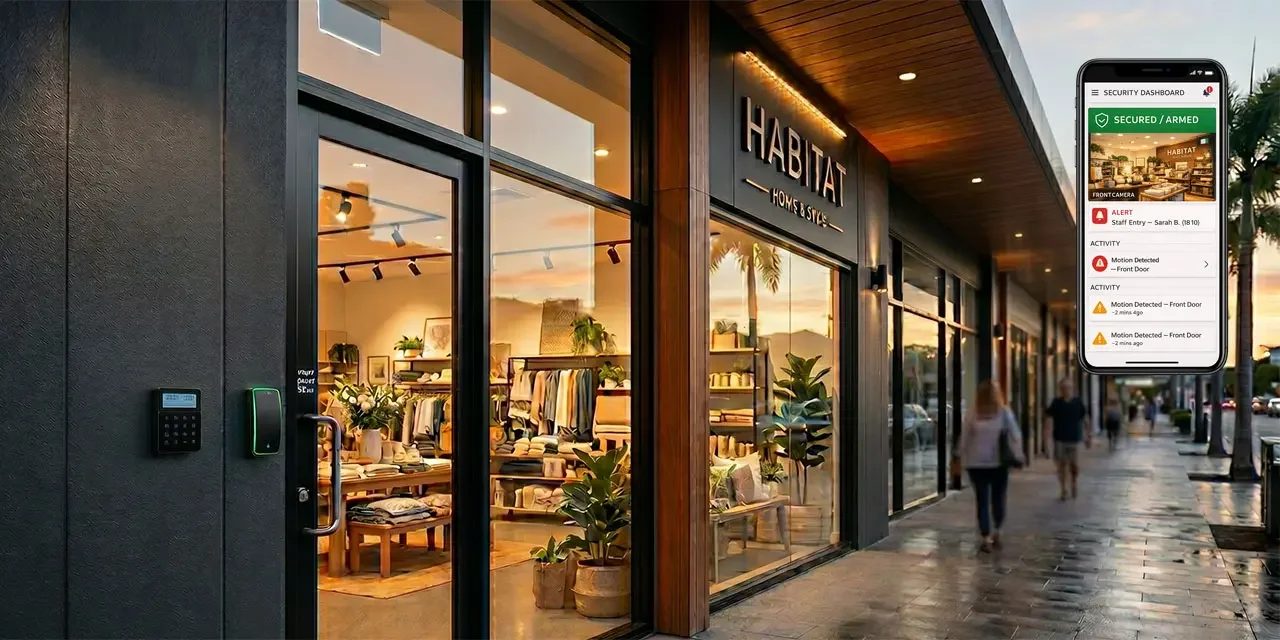
An alarm system is four things working together: sensors at the doors, windows, and open spaces; a panel that makes sense of what the sensors report; a back-to-base alarm monitoring pathway to a 24/7 centre; and a response process when something happens. What has changed is not the sensors, it is everything downstream of them. Modern panels usually talk over IP with cellular backup rather than a copper phone line. On setups where cameras and alarms share a platform, the people responding can review the nearest camera clip alongside the alarm event before deciding what to do, instead of acting on a one-line code alone. Owners and managers get a push notification with context shortly after the trigger. The alarm still makes noise when it should, but the people who need to know can see what is happening before they decide what to do.
Traditional alarm systems still have a place
Not every site needs an upgrade. A traditional monitored alarm on a simple site with a healthy panel and an active back-to-base monitoring contract still does its job. If the system has not been reviewed in a while, check four things before you decide. One, how the panel communicates. Many older panels were installed on a PSTN line that no longer exists after the NBN switchover, and the panel may be failing to dial out without anyone noticing. Two, the panel battery age. Most backup batteries last three to five years before they stop holding charge. Three, whether your monitoring contract is still active and the centre has up-to-date callout instructions. Four, whether the people on the callout list still work for you. If all four answers are good, the system is fine as it is. If any are not, you may have a system that is running without being heard on the other end.
Where traditional alarms fall short for multi-site businesses
Once you run more than one site, a traditional alarm shows its age in ways that have nothing to do with the sensors. False alarms are the first pain point: without video verification, too many triggers turn into a patrol callout and an invoice. The second is visibility. When the alarm at site three fires at 11pm you get a phone call and a single event code, with no way to see what triggered it, acknowledge it from your phone, or tell the patrol whether to treat it as priority or routine. The third is access. The alarm is armed with a code, the back door uses a different credential, the front intercom is a fourth separate system, and when a staff member leaves you have three systems to update and a reasonable chance one gets missed.
What modern monitored alarm systems add
A modern smart alarm system does more than make noise. The headline feature is verification. On setups where cameras and alarms share a platform, a sensor trigger pulls the nearest camera clip into the same event record, so the people responding have context rather than dispatching blind.
The rest follows from that. Remote arm and disarm from an app, so a manager running late is not stuck outside the alarm window. One dashboard that shows every site at once: what is armed, what has faults, and what has had recent events. Dual-path communications over IP and cellular, so a cut phone line or a dropped broadband link does not take signalling offline, provided the failover is configured and supervised properly. Local alarm functions should keep running during an outage, though camera and video features may degrade until the link is back. On integrated platforms, audit trails tie to the same person record used by the access control system, so one offboarding can update alarm, access, and intercom permissions together.
Want a second opinion on your current setup? Talk to a Metwide engineer.
Integration with access control, CCTV, and intercoms
A modern alarm is most useful when it stops being a standalone box. When a door forces open out of hours, the alarm fires, the nearest camera attaches a clip, and the access log already shows who was last in the building. When a visitor presses the intercom at the front gate, that event sits in the same dashboard as the door they walk through.
This is the visitor management story as much as it is the security story. For property managers, retailers, and anyone running a site that welcomes the public, the intercom system is the front door of the whole system, not a separate gadget on the wall. When alarms, access, cameras, and intercoms share one platform, you also share one partner to call when something changes. Most alarm installers do not deploy access control, intercoms, or the network links underneath them; they subcontract. Metwide installs and supports the whole stack, which is why the credential, signalling and video pieces actually share one record. Our access control for multi-site businesses post covers the credential side of that story in more depth.
Traditional vs modern monitored alarm: side-by-side
| Capability | Traditional monitored alarm | Modern monitored alarm |
|---|---|---|
| Primary comms pathway | Phone line, often legacy PSTN | Usually IP with cellular backup |
| Alert to owner | Phone call from monitoring centre | Push notification with context |
| Verification of trigger | Patrol callout to check | Camera clip attached on integrated setups |
| Remote arm and disarm | Usually no | Yes |
| Multi-site visibility | Per site, manual | One dashboard across sites |
| Integration with access and CCTV | Usually none | Supported on most modern platforms |
| False alarm handling | Dispatch without context | Context available before dispatch |
| Credential / code changes | Per system | One change can update integrated systems together |
One-line verdict. If you run a single low-risk site with a healthy panel and active monitoring, a traditional system is still fine. If you run more than one site, or your panel is old, or you want verified alerts and one dashboard, a modern monitored system is usually easier to justify once false callouts, admin overhead, and integration gaps are already costing time.
Alarm systems for Brisbane and Gold Coast businesses
A retail chain with six stores between Brisbane and the Gold Coast. Modern monitored panels at each store, reporting to one dashboard. Verified alerts with camera context can go to the regional manager and the monitoring centre together, so an after-hours trigger at store four is either cleared quickly or escalated with a clip already attached. One offboarding can remove an ex-employee from every store at once.
A multi-tenant office building on the Gold Coast. Alarm integrated with access control so the building arms automatically when the last tenant taps out. The front entry intercom ties into the same platform, so after-hours deliveries and contractors are logged against the same person record. Tenants get a simpler story: one card, one app, one number to call.
How to decide: keep, upgrade, or replace
Whether you are reviewing a legacy panel or what some vendors now call a smart alarm system, six questions will get you most of the way there.
- Is your panel’s communication pathway still active? If the panel is still dialling a PSTN number, treat it as suspect and have it checked.
- How often does your current system false alarm? If you are paying for patrols that turn into nothing, verification is usually the first thing worth fixing.
- Do you run more than one site? The more sites, the more the management layer matters relative to the panel itself.
- Do visitor events, door events, and after-hours alarms live in the same system? If not, you are running several overlapping security systems with no shared record. Integration is usually where the real gains are, not just a new panel.
- When someone leaves, how many systems do you update? If the answer is “more than one, and we sometimes forget,” you have a process risk an integrated setup can remove.
- Are there insurer, landlord, or tenancy requirements to meet? Confirm any obligations around monitored alarms, signalling pathway, and required grading (some policies and leases still reference an ASIAL or AS 2201 class) before you commit.
The shape of the decision usually falls out from there:
- Keep if the site is simple, the panel is healthy, the monitoring pathway is active, and nothing in your obligations is pushing you to change.
- Upgrade if the panel is serviceable but the pathway, monitoring contract, or integration is the weak link.
- Replace or re-platform if the panel is unsupported, multi-site administration is painful, or integration gaps are creating real risk.
You do not have to do everything at once. Most multi-site businesses change site by site, leading with the locations where false alarms, turnover, or integration gaps are hurting most.
What drives cost and scope
Two questions usually shape the project.
- Can we reuse existing sensors and cabling? Many sites already have detectors, door contacts, and wiring a new panel can take advantage of. Not all of it, but often enough to bring costs down.
- What is the ongoing monitoring and management cost? Modern monitored alarms are usually a subscription. The subscription can be offset by fewer false callouts and less admin across sites, but it should be priced up honestly before you commit.
What a Metwide security review looks like
An engineer from our field team (NSW and QLD security and cabling licences) walks each site and checks the existing panel, sensors, wiring, back-to-base pathway, monitoring contract, and how the alarm currently connects (or does not) to your access control, cameras, and intercom. You get back a written plan covering which sites are fine, which need a panel refresh, which need a platform change, what existing hardware can be reused, costs broken down per site, and a recommended rollout order so the highest-risk locations come first. From there you decide what to do next, on your timeline.