
Retail Security Beyond CCTV: Access, Alarms and Shrinkage
Most retailers already have cameras. If you run a single store or a franchise network across Brisbane and the Gold Coast, there is almost certainly a DVR in the back room and a row of screens behind the counter. The real question is what should sit next to the cameras, not what the cameras do. By the end of this post you will know where a CCTV-only setup falls short, what integration with access control and monitored alarms adds, and how to decide whether to keep, upgrade, or replace what you have. Already know what you need? See our retail security page.
What a modern integrated retail security setup actually is
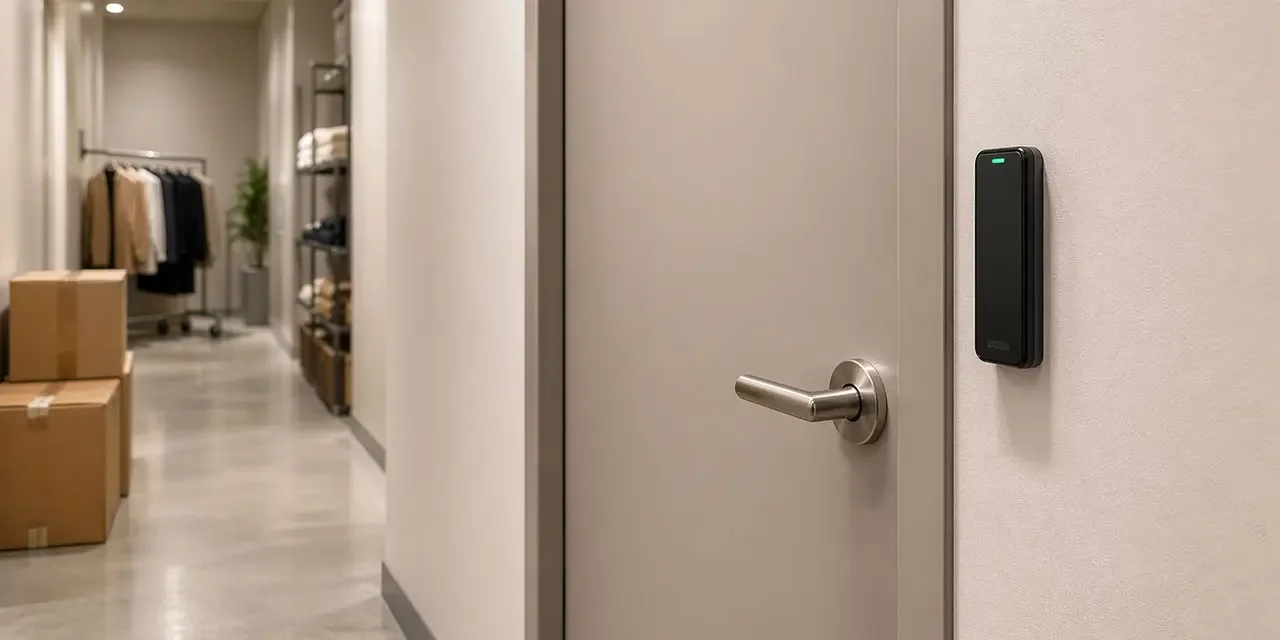
Modern retail security Brisbane businesses rely on is four things talking to each other: cameras on the shop floor and back-of-house, an access control system on the doors that matter, a monitored alarm behind all of it, and a dashboard that ties the events together. Customer-facing entries are rarely the hardest problem. The high-value doors in a retail site are the stockroom, the office, the safe, the roof-access hatch, and the goods-receiving dock. Those are the doors where back-of-house access control earns its keep. On an integrated platform a door event, a camera clip, an alarm trigger, and an access credential live in the same record, so whoever responds has context before they decide.
Why CCTV-only setups fall short for retail
Cameras on their own are good at showing you what happened, and not much more. For a simple store with one entry, a healthy DVR, and a decent CCTV rig, that is often enough. Most retailers run on that basis, and they are not doing anything wrong.
Once you have back-of-house worth protecting, or more than one store, the gaps show. You see the break-in after the fact, but cannot tell whether the back door was opened from the inside. You can review a grab-and-run the next morning, but not alongside the access log of who else was in the stockroom that afternoon. When the alarm fires at 11pm, you get a code number with no clip, so every trigger is either ignored or dispatched blind.
What integrated access control and monitored alarms add
A modern smart alarm retail setup does not just make noise. Tied to CCTV and retail access control, it gives you verified alerts: the trigger arrives with the nearest camera clip attached, and the access log of who used the back door in the last hour is one click away. The people on call can decide before anyone gets in a car.
The rest follows. Remote arm and disarm from an app. Door-forced and door-held-open alerts on the stockroom and goods-inwards, so a propped back door does not turn into a three-hour leak. Dual-path signalling over IP and cellular with 4G failover, so a cut line or a dropped NBN link does not silently break the path to back-to-base monitoring. Our post on access control for multi-site businesses covers the credential side, and modern monitored alarm systems covers how the alarm sits on top.
Want a second opinion on your current retail setup? Talk to a Metwide engineer.
Staff turnover and credential churn
Retail runs on casuals, seasonal hires, and rolling rosters. The admin cost of keeping keys, codes, and fobs aligned with who is actually on the payroll is real, and it is where standalone systems usually leak. A keyed back door gets a new key when a set goes missing. A standalone keypad at the office gets a new code every time someone leaves, which nobody enforces. An alarm panel ends up with a dozen active users, half of whom finished up six months ago.
Integrated retail access control changes the shape of that admin. One offboarding in a cloud dashboard revokes the credential on every door and the alarm code at every store, in one step. Time-bound passes cover contractors, cleaners, and fit-out crews for a specific window against a specific work order.
Internal vs external theft, and where integration helps
Retail shrinkage has two sides, and integrated systems help each differently. External shrinkage is break-in, grab-and-run, and after-hours entry. Verified alerts, dual-path signalling, and camera clips attached to each alarm event raise the chance the response is fast and informed, and lower the cost of patrol callouts that turn out to be nothing. Internal shrinkage, whether staff, contractor, or delivery driver, is quieter. Integration helps by narrowing uncertainty: every back-of-house door is a record, every credential is a person, and unusual events, a stockroom entered outside rostered shift or a credential used at 2am, are visible in one place. No platform eliminates shrinkage, but you can move from “we think something is going on” to “we can see what happened, and by whom”.
Multi-site visibility for chain and franchise operators
For franchise operators and multi-site independents, the per-store admin overhead is usually what breaks first. Running eight alarm panels, eight sets of codes, eight CCTV systems, and eight contractor lists is a job nobody was hired to do. Multi-site retail security fixes this at the management layer rather than at the panel. One dashboard shows every store. Per-store rules let a regional manager handle their stores without touching another region’s. Delegated admin lets a store manager add a casual to their own site, while head office keeps the master view and the offboarding-across-the-network button. For franchise security specifically, that delegation matters: a franchisee runs their store without every credential change sitting on the franchisor’s desk, and the network still keeps one audit trail.
Leased retail fit-outs, landlord constraints, and insurers
Most retailers lease in a shopping centre, arcade, or strip-mall fit-out, and many leases limit what you can touch on shared walls, ceilings, and risers. That usually rules out large cabling jobs more than it rules out modern security. Wireless readers on stockroom and office doors, battery-operated sensors for shrinkage-prone areas, and a small alarm panel that reuses existing door contacts can often land without shared-property approval. Where the landlord runs a base-building alarm or access system, a tenant-grade platform usually coexists rather than competes, as long as the scope of each is clear up front. Our strata intercoms and property-manager integration post covers the visitor-management side where after-hours access depends on centre-managed lobbies or loading docks.
Insurance sits alongside this. Many insurers now want a monitored alarm with back-to-base signalling, documented access logs for high-value stockrooms, and a way to evidence who had keys or credentials at any given date. Specifics vary by policy, so asking your broker what the policy requires is cheaper than retrofitting after a claim. Where the Privacy Act covers your access and CCTV records, and even where it does not, retention, access, and deletion rules are worth pinning down with your provider before installation.
CCTV-only vs integrated retail security: side-by-side
| Capability | CCTV-only setup | Integrated retail security platform |
|---|---|---|
| After-hours alert | SMS or monitoring call with a code | Notification with camera clip and access context |
| Stockroom and office doors | Keyed or standalone keypad | Back-of-house access control with per-person credentials |
| Staff offboarding across doors | Multiple systems, manual | One action revokes every door and alarm code |
| Unusual-access alerts | Usually none | Door-held-open, out-of-hours use, credential out of shift |
| Multi-store visibility | Per site, mixed systems | One dashboard across the network |
| Contractor and delivery access | Master key or shared code | Time-bound pass tied to a work order |
| Linking an event to a person | Camera clip plus guesswork | Clip plus access log in one record |
| Signalling pathway resilience | Often single-path phone or IP | Common on modern systems: dual-path with cellular failover |
One-line verdict. For a single low-risk store with one entry, CCTV plus a healthy monitored alarm is often fine. For retailers with back-of-house worth protecting, high-value stock, or more than one location, the integration layer is where the real gains sit, not a new camera rig.
Retail security for Brisbane and Gold Coast retailers
A franchise apparel chain with seven stores between Brisbane and the Gold Coast. Cloud-managed retail access control on every back-of-house door. Regional managers use mobile credentials across the network; casual staff carry cards per store. One offboarding revokes a departing employee across every store and the alarm code in one step. A commercial alarm retail platform reports to one monitoring partner, with verified alerts routed to the store manager and the monitoring centre together. After-hours events at store three land with a camera clip already attached, so the regional on-call does not drive out for nothing.
A single-store specialty retailer with high-value stock in a Gold Coast shopping centre. A jeweller, electronics boutique, or beauty specialist leasing a fit-out they cannot re-cable. Wireless readers on the stockroom and safe-room doors, a monitored alarm with dual-path signalling, and a CCTV rig integrated at the platform layer. A short contractor PIN for every fit-out crew, expiring with the job. Audit trail ready for the insurer, broker, and centre manager without digging through three separate systems.
How to decide: keep, upgrade, or replace
Six questions will get most retailers most of the way there.
- Where is your back-of-house access control today? If the stockroom, office, or safe is protected by a shared key or a keypad that last changed codes in 2022, upgrading access usually pays back fastest.
- Do after-hours alarms arrive with camera and access context? If a break-in means matching DVR footage to alarm log timestamps by hand, integration is doing more for you than any new camera would.
- How many stores do you manage, and who administers them? The more sites and managers involved, the more a multi-site retail security dashboard earns its keep relative to better panels.
- How does credential churn work when someone leaves? If the answer is “we change the office code and hope”, integrated offboarding is usually the first upgrade worth making.
- What can you touch on the landlord’s fit-out? If you cannot re-cable, lean on wireless readers and retrofit sensors for back-of-house.
- What do your insurer and lease actually require? Check whether the policy assumes a monitored alarm, documented access logs, or a specific signalling pathway before you commit to hardware.
Keep if the store is simple, the camera and alarm are healthy, and shrinkage and admin are not hurting. Upgrade if the camera rig is fine but back-of-house and alarm integration are the weak link. Replace or re-platform if each store runs its own island or the current setup cannot evidence who did what, where, and when. Most retailers change store by store, leading with the locations where back-of-house or after-hours events are hurting most.
What drives cost and scope
Three questions usually shape the project.
- Can we retrofit inside a leased fit-out? Many shopping-centre and arcade tenancies have enough existing cable and usable door hardware for a wireless or partial-retrofit job that stays inside your own tenancy. Where the cable is not there or not safe, wireless readers and battery sensors usually beat re-cabling shared walls.
- One store or a chain rollout? A single store scopes as one stage. A chain rollout is staged so the highest-shrinkage stores go first, with the cloud dashboard set up once so later stores roll in against the same records.
- What approval path is needed? Most leased stores need landlord consent, some need centre-management sign-off, and insurers may want to see the final design before cover transfers. Landlord letters and broker sign-off usually matter more to the end date than any individual hardware decision.
What a Metwide retail security review looks like
An engineer from our field team (NSW and QLD security and cabling licences) walks each store and checks the existing CCTV, alarm, back-of-house access, cabling, and signalling pathway, and notes what can be reused. You get back a written plan covering which stores are fine, which need back-of-house access, which need an alarm refresh, which need a platform change, costs broken down per store, and a rollout order so the highest-priority sites go first. From there you decide what to do next, on your timeline.