
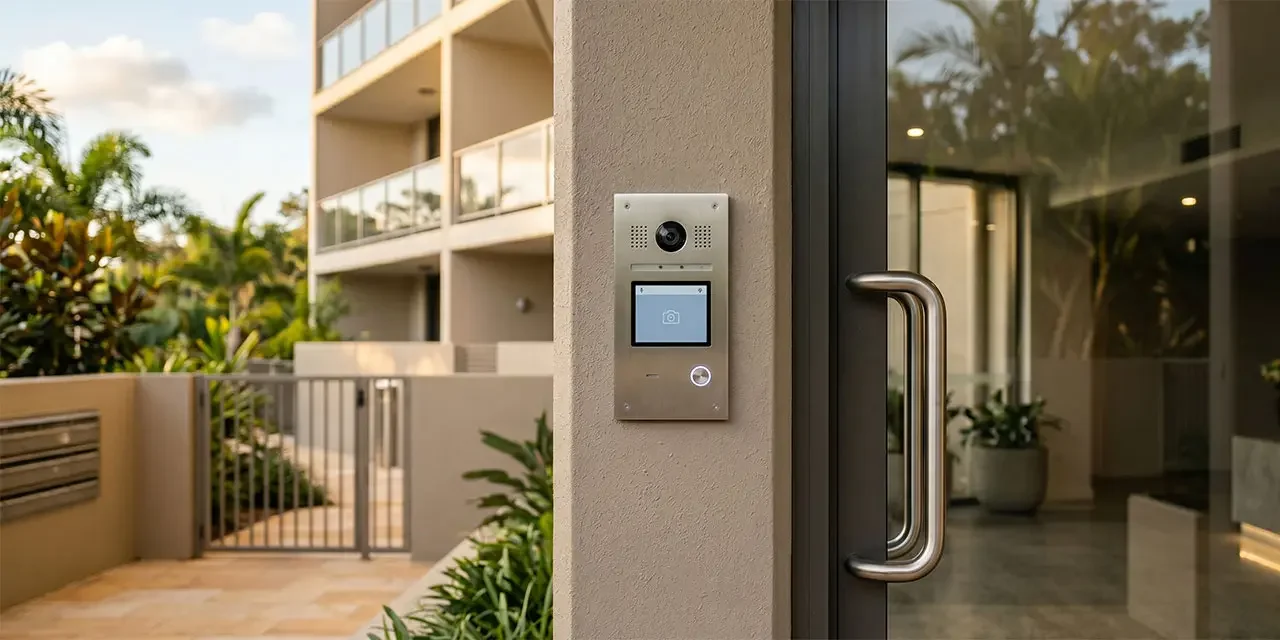
Strata Intercoms for Property Managers: Keep, Upgrade or Integrate?
If you manage apartments, strata buildings, or mixed-use commercial property, the intercom at the front door probably does one thing: it buzzes. What it cannot usually tell you is who came through at 2am last Tuesday, whether the maintenance contractor actually turned up, or why three tenants asked for replacement fobs last month. For property managers, strata managers, and body corporate committees across Brisbane and the Gold Coast, the intercom sits quietly at the centre of how every building handles visitors, deliveries, and contractors. By the end of this post you will know what a modern intercom system actually does, where a standalone setup falls short across a portfolio, and how intercoms fit alongside access control, CCTV, and alarms. Already know what you need? See our intercom systems page.
What a modern strata intercom system actually does
A modern intercom system is five things in one place: see, speak, verify, log, and unlock. A visitor presses the button at the entry, the person responsible sees the video and talks through the app or wall panel, and the door releases. Every event lands in a record tied to the building, the door, and the time.
What has changed is less the door station and more what sits behind it. IP video intercoms run over the building network with PoE, so one cable carries power and signalling. For older buildings where pulling new cable would mean lifting ceilings and risers, 2-wire retrofit kits can often reuse the existing cabling and still add video and mobile answering, subject to a check on cable condition, distances, power, and door hardware. Where no cable runs at all, wireless and 4G intercom stations may suit gates, pedestrian car-park entries, and plant rooms, where mobile signal, power, and door-release design all check out.
Where standalone intercoms fall short for multi-building portfolios
Once you run more than one building, a standalone apartment intercom system or strata intercom shows its limits in ways that have nothing to do with the door station. Tenant turnover is the first pain point: a resident moves out, their fob ends up in a drawer or with the next person, and the call panel still lists their name. The second is contractors: a plumber on Friday, a cleaner on Saturday at another building, and unless someone was at reception no record of when either entered or left. The third is visibility. When each building runs its own intercom, a property manager has no single view of who called, who answered, or which entries were propped open after hours. The fourth is reporting: piecing six months of common-area records together from four standalone systems is a job no one wants.
What integration with access control, CCTV, and alarms adds
A modern intercom is most useful when it stops being a separate gadget on the wall. When a visitor presses the button at the foyer, the camera next to the door attaches a clip to the event. When the visitor walks through, the door release is logged against the same record as the fobs and mobile credentials residents and staff already use. If a common-area alarm trips overnight, the intercom history sits next to the alarm event in the same dashboard.
This is the visitor management story as much as the security story. The intercom is the front door of the whole system, not an isolated box. When intercoms, multi-tenant access control, cameras, and alarms share one platform, one person record can carry across all of them. Our access control for multi-site businesses post covers the credential side, and modern monitored alarm systems covers how alarms sit on top. Metwide scopes the intercom, access control, cameras, alarms, cabling, and network path together, so the integration is designed at the start rather than patched between separate systems later.
Want a second opinion on your current intercom setup? Talk to a Metwide engineer.
Tenant turnover and contractor access
Tenant turnover is the quiet administrative load in most strata and multi-tenant buildings. An integrated intercom reduces it because one offboarding updates everything the departing resident had access to: intercom name entry, access credential, common-area permissions, and alarm code, in one step. Onboarding works the same way in reverse.
Contractors and deliveries follow the same pattern. Rather than a master fob at reception or a propped-open door, a time-bound pass or PIN is issued for a specific window, to a specific door, against the work order. The pass expires on its own, and the entry, door release, and time on-site land in an audit trail. For work inside plant rooms, mail rooms, or risers, that record is often what insurers or body corporate committees want to see when something goes missing.
Common areas, reporting, and portfolio management
Common areas are where the integration story does most of its work. Foyers, mail rooms, car parks, pool decks, and shared gym rooms each have different access rules, and a cloud-based intercom platform lets you set them up once, by door and by user group, rather than managing each building as its own island.
One login covers every site, and delegated admin lets a building manager handle their own while head office keeps the master view. Incident logs, access records, and intercom call history export out of one dashboard for body corporate meetings and insurance claims. Privacy obligations travel with the data: where the Privacy Act applies, CCTV footage and access logs may be personal information, and even where it does not, retention, access, export, and deletion rules are worth pinning down with your provider before roll-out, not after.
Standalone vs integrated intercom: side-by-side
| Capability | Standalone intercom | Integrated intercom platform |
|---|---|---|
| Video and audio at the door | Usually audio only on older systems | Common on modern systems |
| Answer location | Wall panel at reception only | Phone app, wall panel, or desktop |
| Visitor and contractor log | Paper sign-in or nothing | Digital log tied to each door and event |
| Tenant turnover admin | Update intercom, access, and alarm separately | One offboarding can update everything |
| Time-bound passes for contractors | Usually separate or limited | PIN, QR, or mobile pass with expiry |
| Multi-building visibility | Per building, manual | One dashboard across the portfolio |
| Camera clip on entry event | Not linked | Can be attached when the intercom, camera, and event rules are integrated |
| Reporting for strata or insurers | Manual, per system | Export from one audit trail |
One-line verdict. A simple audio intercom at a single low-risk building is still fine if the door station works and tenants are happy. If you manage several buildings, or tenant turnover and contractor access are costing admin time, or the committee keeps asking for records the current system cannot produce, an integrated platform usually earns its keep.
Video intercom systems for Brisbane and Gold Coast property managers
A strata portfolio of four mid-rise apartment buildings between Brisbane northside and the Gold Coast. Video intercoms at each front entry, 2-wire retrofit in the older buildings to avoid lifting risers, IP video in the newer ones. Managers administer the same app and user directory across the portfolio; residents only see their own building and approved common areas. For resident-facing rollouts, a wall panel and fob fallback is kept for people who cannot or do not want to use a mobile app. Common-area access, intercom call logs, and car-park gate events share one audit trail, so the body corporate gets the reports they ask for without the building manager rebuilding them each month.
A mixed-use commercial building on the Gold Coast with ground-floor retail and two floors of managed offices. A commercial intercom at the after-hours entry integrated with access control, so after-hours common-area alarm behaviour can be tied to access events or schedules, depending on tenancy rules and monitoring design. Time-bound passes for cleaners and maintenance crews. A 4G intercom station at the rear loading dock, because cabling that entry would mean touching a fire-rated wall. One set of records covers retail, offices, and common areas.
How to decide: keep, upgrade, or replace
Six questions will get most property managers most of the way there.
- Does the existing door station still do what you need? If residents are happy and the building has one entry that matters, the case to replace it may be weaker than the case to tidy the admin around it.
- Is the cabling the blocker, or the intercom itself? If the door station is dated but the riser is usable, a 2-wire retrofit often lands video and mobile answering without re-cabling. Where no cable runs, a 4G intercom retrofit or wireless station may be the right answer for that entry. Also check whether the existing intercom depends on an old phone or PSTN path, and what still works locally if the internet or mobile link is down.
- How many buildings are you managing? The more buildings, the more the management layer matters relative to the door station. One dashboard across a portfolio is usually where the real gain sits.
- How do contractors and deliveries get in today? If the answer is “a master fob at reception” or “whoever is there lets them in,” time-bound passes and audit logs are usually the first upgrade worth making.
- Are your access, intercom, alarm, and CCTV records in one place? If a body corporate or insurance request means collecting logs from four systems, integration is doing more for you than any single new panel would.
- What are your data and privacy obligations? Confirm retention, access, and deletion rules for video and access logs, and where they are stored. If the current provider cannot answer clearly, that is a signal in itself.
The shape of the decision usually falls out from there:
- Keep if the building is simple, the door station works, and reporting is not a pressure point.
- Upgrade if the door station is dated but the cabling is usable, or only the admin layer needs pulling into one place.
- Replace or re-platform if the system is unsupported, multi-building administration is painful, or integration gaps are already creating real risk.
You do not have to do everything at once. Most property managers change building by building, leading with whichever site has the most contractor traffic, turnover, or committee attention.
What drives cost and scope
Three questions usually shape the project.
- Can we retrofit, or do we need to re-cable? Many older buildings have enough existing cable for a 2-wire or IP retrofit, which can reduce cabling scope and may shorten installation. Where the cable is not there or not safe, a wireless or 4G station often replaces a cabling job that would otherwise touch shared walls and fire-rated surfaces.
- One building or a portfolio rollout? A single building can often be scoped as one stage. A portfolio is usually staged so the highest-priority sites go first, with the cloud dashboard and user directory set up once so later buildings roll in against the same records. Our strata security systems page covers how this looks across a portfolio, including where back-to-base monitoring fits for plant rooms and car parks.
- What approval path is needed? Most strata projects have a committee, owner notice, by-law or owners-corporation step, and common-property works approval before installation. Build that into the timeline early: resident communications, a staged access-change plan, and an AGM or committee reporting packet usually matter more to the end date than any individual cabling decision.
What a Metwide property management security review looks like
An engineer from our field team (NSW and QLD security and cabling licences) walks each building and checks the existing door station, cabling, access hardware, alarm, and CCTV, and notes what can be reused. You get back a written plan covering which buildings are fine, which need a door-station refresh, which need a platform change, costs per building, and a rollout order so the highest-priority sites go first. From there you decide what to do next, on your timeline.